Most search queries are simple: users will enter some words and will get results with content containing any of those terms. But what if you need something more complicated?
Searching phrases: if you want results containing a phrase consisting of multiple words, then enclose them in quotes. For example…
| This searches for ‘HIV Treatment’ without enclosing quotes, thus returning results containing both ‘HIV’ and ‘Treatment’, where neither word is necessarily subsequent from the other.
|
This searches for ‘”HIV Treatment”‘ with enclosing quotes, thus returning results where ‘HIV’ precedes ‘Treatment’ and are separated by a space.
|

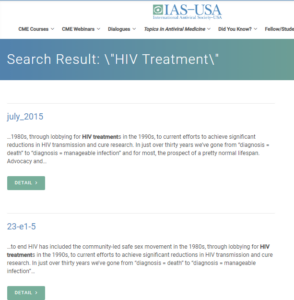
Searching for required words: if you want results with some words to be mandatory in the content, then prepend the word with a “+” sign. For example, this query, ‘HIV +Spread +CROI’, will return results having ‘spread’, ‘CROI’ and maybe ‘HIV’.
Searching while excluding words: if you want results with certain words to NOT be in the content, then prepend the word with a “–” sign. For example, this query, ‘HIV Spread -CROI’, will return results that does not contain ‘CROI’ in its content.
Searching using wildcards: if you want results with partial matches to certain words, then insert a ‘*‘ sign in the word of where guesses should be made. For example, this query, ‘retro*’, will return results containing ‘retrospective’ and ‘retroviral’.